 blog
blog
Pokémon Collection Tracker: App vs Spreadsheet
Table of Contents
- Pokémon Collection Tracker: App vs Spreadsheet, Which Suits Your Collecting Style
- Spreadsheet-Based Collection Management: Flexibility at a Cost
- Best Pokémon Collection Tracking App: Speed and Structure
- Track Pokémon Across Multiple Games Without Confusion
- Pokémon Shiny Tracker: Specialized Monitoring for Hunters
- Head-to-Head Comparison: Data Portability, Cost, and Peace of Mind
- Which Method Is Right for Your Collection?
- Frequently Asked Questions
Last Updated: October 18, 2026
Pokémon Collection Tracker: App vs Spreadsheet, Which Suits Your Collecting Style
Tracking your Pokémon collection across multiple games feels overwhelming when you're managing shinies, Alphas, Nuzlockes, and main saves at once. The question isn't whether to track, it's which method fits how you play.
A pokémon collection tracker solves a real problem: without one, you lose track of what you own, miss milestones, and waste time searching across saves.
Both approaches work. The answer depends on your collecting style, how many games you play, and whether you value flexibility or speed.
Spreadsheet-Based Collection Management: Flexibility at a Cost
A spreadsheet is the default for many collectors: free, familiar, and fully under your control. Google Sheets or Excel lets you build exactly what you need.
Pros of Using a Spreadsheet
Spreadsheets offer genuine advantages. Add any column you want, card condition, market value, acquisition date, or custom tags. Formulas calculate set completion percentages automatically, and you can sort and filter exactly how your brain works.
They're also completely free: no subscription, ads, or account, and no concern about an app shutting down or changing its terms.
For collectors managing one or two games casually, a spreadsheet is often enough: thirty minutes of setup and you're done.
Cons of Spreadsheet Tracking
The real friction appears as your collection grows or you juggle multiple playstyles. Manual entry takes time, and running multiple Nuzlockes with different rulesets means constant tab-switching and manual cell updates.
Spreadsheets also don't sync well across devices. Updating on your phone while playing on a Nintendo Switch means manual re-entry or clunky cloud sync, with no real-time updates or mobile-friendly interface.
Most importantly, spreadsheets don't scale. They work fine for 200 Pokémon but become unwieldy at 500.
Best Pokémon Collection Tracking App: Speed and Structure
A dedicated pokémon collection tracking app trades flexibility for speed and structure, designed specifically for tracking collections across multiple games.
The tradeoff is real: you work within someone else's design choices. But that design comes from understanding how collectors work, covering Pokédex completion, shiny status, Alpha Pokémon, and separate save files.
Advantages of a Dedicated Tracking App
Apps are faster: tap a Pokémon, mark it owned, move on. No typing, formula updates, or manual calculations.
Multi-device sync happens automatically: update on your phone, and it's on your laptop, with no version conflicts.
Apps also handle complexity better.
Data accuracy is another advantage. A verified Pokédex database means no manual entry of names and numbers, and no hunting through spreadsheets for "Pidgeot" versus "Pidgeotto."
Future-readiness matters too.
Limitations of App-Based Tracking
Apps require you to trust someone else's infrastructure. If the app shuts down, gets abandoned, or changes its terms, you're affected, and data portability becomes a real concern: can you export your collection if you switch tools?
There's also a small learning curve: a new interface, workflows, and terminology, which is friction compared to a spreadsheet you've used for years.
Some apps charge for premium features. Free tiers often limit how many games or custom fields you can track, or whether price tracking and historical data are included.
Track Pokémon Across Multiple Games Without Confusion
The complexity multiplies when you manage more than one save file. Setup speed and bulk entry decide whether you actually keep the system current.
How Each Approach Handles a New or Large Collection
Setting up a collection is where most trackers fail, because manual entry is slow and easy to abandon halfway through.
- Spreadsheet setup: Build columns for species, game, save file, status, condition, and value, then enter rows by hand. For a large collection this is the biggest time sink, and duplicate cards need a deliberate rule (one row per copy with a quantity column, or one row per card with a unique ID). Without it, totals drift.
- App setup: Select your games and mark entries against a built-in species list, removing name and number typos. Bulk entry and scanning speed up a large stack, but expect to correct misreads and confirm duplicates manually: scan or bulk-add first, then review against the physical stack.
Whichever you choose, do a small pilot first: enter 20-30 cards, check the totals, then commit to the full collection. That catches structural mistakes before they scale.
Keeping Saves Separate
If you're running a Nuzlocke while hunting shinies, those saves need to stay separate. A spreadsheet means multiple sheets or files, easy to update by mistake.
Casual collectors across multiple generations face the same problem: a completed Pokédex in Scarlet, an in-progress collection in Legends: Arceus, and a shiny hunt in Brilliant Diamond.
A dedicated app handles this automatically. It knows which Pokémon are available in which games, so you can't mark a Scarlet-exclusive as caught in Legends. The structure prevents mistakes spreadsheets require vigilance to avoid.
Finding Cards by Set and Attribute
As a collection grows, retrieval matters as much as entry. A spreadsheet filters and sorts by any column you built, powerful if you designed them well. An app offers set and expansion views plus filters for owned, missing, and status, faster for common lookups but limited to the fields it exposes. If you search by a custom attribute often, confirm the app supports it before switching.
Which Collector Type Should Choose Which
- Casual collector: A single sheet with one tab per game is enough; keep a dated backup.
- Set completer: Prioritize owned-versus-missing views and completion tracking; both methods can do it, but apps reduce manual upkeep.
- Trader: Favor frequent updates and value tracking; check price source and export.
- Customization-first collector: Stay with a spreadsheet if bespoke columns and formulas matter more than speed.
- Multi-game and shiny hunter: An app's separation of saves and faster entry usually wins.
Pokémon Shiny Tracker: Specialized Monitoring for Hunters
Shiny hunting is a different beast from casual collecting: you're tracking odds, encounters, and status markers. A pokémon shiny tracker built into a collection app gives you features spreadsheets can't match.
Dedicated shiny tracking lets you mark Pokémon as shiny, record encounter counts, and track hunt progress over time.
A spreadsheet can do this, but you're manually managing columns and calculations. An app does it instantly: open it, see your active hunts, and know where you stand. For serious hunters, this saves hours per month.
Head-to-Head Comparison: Data Portability, Cost, and Peace of Mind
These factors often decide the choice for collectors torn between methods. Here's what to actually check before you commit.
Data Portability and Backups
This is where spreadsheets win decisively. Your data is a file you can download, copy to a second drive, or import into another tool.
Apps vary widely. Some export your collection as a CSV; others only show data inside the app.
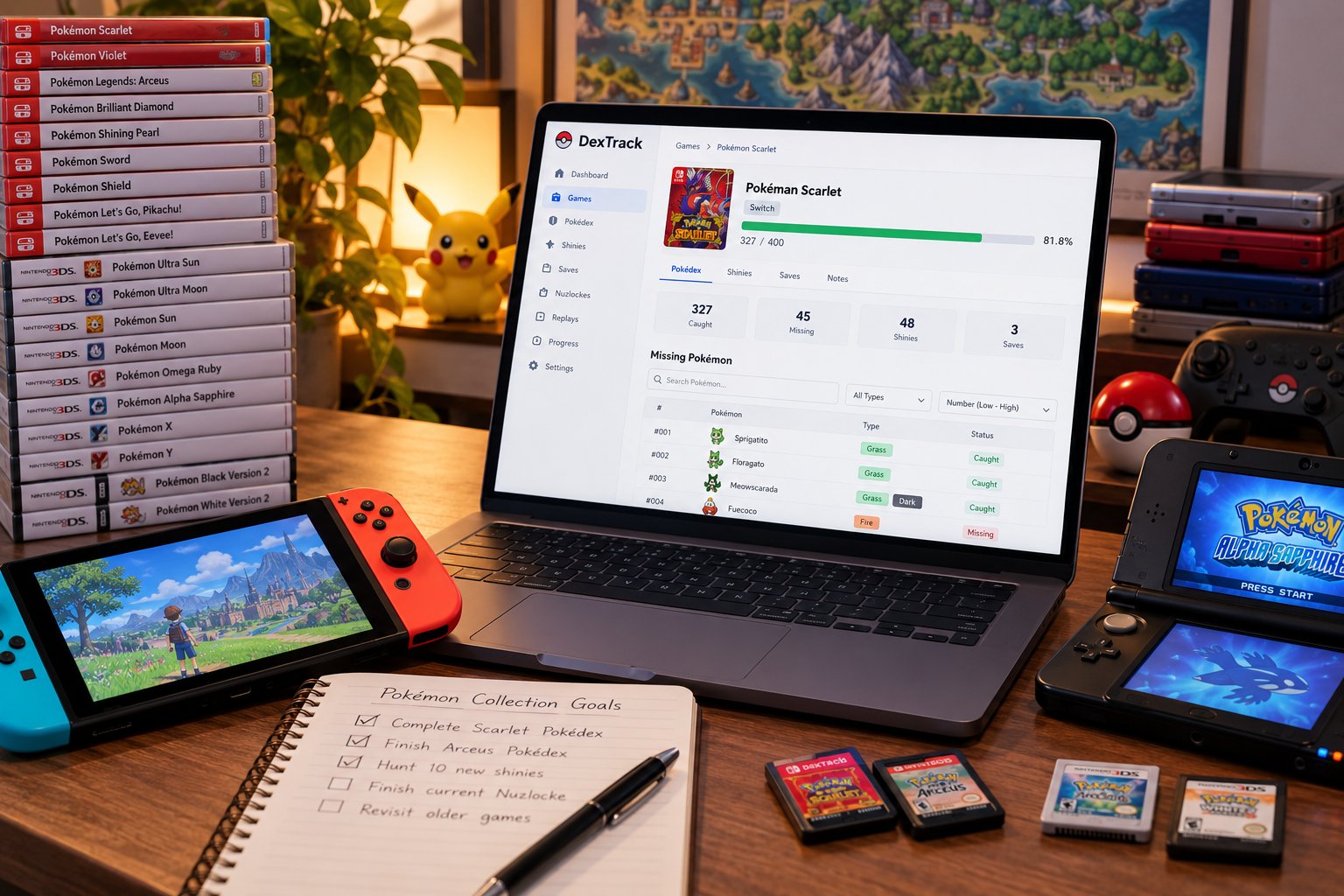
DexTrack is built as a future-ready platform. The design prioritizes managing your data independently across multiple games without rebuilding your system every time a new title releases.
Total Cost of Ownership
Spreadsheets are free in dollars but not in time. Apps range from free tiers to subscriptions, and the true cost depends on which features you use. Compare a year of each option against the hours you spend maintaining it.
- Spreadsheet: $0 in software. The cost is setup time (often 30-60 minutes for a basic template) plus ongoing manual entry, formula fixes, and device syncing, recurring every time you add cards or a new set releases.
- Free app tier: $0, but free tiers commonly limit how many games or sets you can track, how many custom fields you get, or whether price tracking and history are included. Check the limits against your collection size before assuming it covers you.
- Paid app tier: A recurring subscription. The value case is strongest for active collectors tracking several games, running multiple saves, and updating frequently, since the app absorbs calculation and syncing work.
Calculate what you'd pay over a year, then compare it to the hours a spreadsheet costs you. Many collectors find a low-cost app beats the time cost of a complex spreadsheet, while casual collectors with one game are well served by a free sheet.
Accuracy and Freshness of Card Prices
Collection value is the factor most often overstated on both sides. A spreadsheet shows exactly the numbers you typed, so it's only as current as your last manual update.
Apps with price tracking pull from a market source on a schedule, but the estimate depends on assumptions: which source, how often it refreshes, raw versus graded condition, and recent sold price versus listed asking price. Two tools can show different totals for the same card for legitimate reasons.
Setup Time and Ongoing Maintenance
A spreadsheet takes thirty minutes to set up, then you maintain it forever: updating formulas, fixing errors, manually syncing across devices.
An app takes five minutes to set up: create an account, select your games, start tracking. Maintenance is minimal because calculations and syncing are automatic.
| Factor | Spreadsheet | Dedicated App |
|---|---|---|
| Setup time | 30-60 minutes | 5-10 minutes |
| Data ownership | Complete | Depends on app; check export |
| Multi-device sync | Manual | Automatic |
| Cost | Free (time cost) | Free tier to paid subscription |
| Flexibility | Very high | Moderate |
| Speed of use | Slower | Faster |
| Learning curve | None | Minimal |
| Scalability | Poor at large collections | Designed for scale |
| Price freshness | As current as your last edit | Depends on source and refresh schedule |
Decision Guidance by Collector Type
The comparison lands differently by collector type:
- Casual collector (one or two games): A spreadsheet is often enough: low setup cost, full control, no subscription.
- Set completer: You need owned-versus-missing views and completion percentages. A spreadsheet can do this with formulas, but an app that understands sets and expansions saves manual upkeep.
- Trader: You update often and care about value and condition. Check price source, refresh frequency, and export before committing.
- Customization-first collector: A spreadsheet wins if you want bespoke columns, tags, and formulas no app offers.
- Multi-game and shiny hunter: An app's structure and speed usually outweigh the flexibility you give up.
Which Method Is Right for Your Collection?
Choose a spreadsheet if you track one or two games casually, rarely update, and want complete control over your data structure.

Choose a dedicated app if you manage multiple games, run different save files simultaneously, hunt shinies actively, or update frequently.
The future-ready design means no rebuilding when Pokémon Legends Z-A or the next generation launches: add the new game and keep tracking.
Tracking your Pokémon collection shouldn't require choosing between flexibility and usability.
Frequently Asked Questions
Is a Pokémon collection tracking app better than a spreadsheet?
It depends on your needs. A Pokémon collection tracker app offers automatic organization, real-time price updates, and built-in support for tracking across multiple games and save files, ideal if you manage large collections or run multiple Nuzlockes. Spreadsheets give you complete control and portability but require manual updates and formulas. Apps excel at scale and convenience; spreadsheets win for flexibility and data ownership.
What should a Pokémon collection tracker include?
A solid Pokémon collection tracker should support per-game Pokédex completion tracking, allow you to mark owned and missing cards, filter by rarity and set, and track special statuses like shiny or Alpha Pokémon. Multi-save support is essential if you run Nuzlockes or replays. Price tracking and the ability to export your data ensure your collection data stays yours even if you switch tools later.
Can I track Pokémon games and Pokédex completion in a spreadsheet?
Yes. You can build a spreadsheet with columns for Pokémon name, number, set, rarity, condition, and owned status. Use formulas to calculate completion percentages per game. However, maintaining accuracy across multiple game saves manually is tedious, and you'll need to update prices and new releases yourself. For casual collectors with one or two games, a spreadsheet works; serious hunters managing five+ titles often find apps faster.
How do I track shiny Pokémon across multiple games?
Add a dedicated column or field for status flags: mark shinies, Alphas, or other special variants with a tag or checkbox. In a spreadsheet, use conditional formatting to highlight them; in a Pokémon collection tracker app, use built-in filters to isolate shinies by game. Apps make it easier to quickly see your shiny count per game and set completion goals without manual sorting.