 Ultimate guide
How to Track Pokémon Across Generations Step by Step
Quick Summary
To track pokemon across generations, keep one Pokédex tracker per game and record four things for every Pokémon: origin, current location, Pokédex credit, and transfer history. Separate what is registered, owned, and available, since they often differ. Check each transfer route before moving a Pokémon.
- Build a separate tracker for each game so completion percentages stay accurate.
- Treat registered, owned, and available as three distinct states for every Pokémon.
- Record origin, current location, Pokédex credit, and transfer history for each Pokémon.
- Check your compatibility map before any transfer, since some moves are one-way.
- Keep shiny, form, and gender columns so variants don't hide missing entries.
Table of Contents
- Why Tracking Pokémon Across Generations Gets Messy
- Know the Difference Between Registered, Owned, and Available
- Mapping Transfers and Compatibility Generation by Generation
- Building a Pokédex Completion Tracker for Each Game
- Tracking Shiny Pokémon, Forms, and Special Collections
- Organizing Progress in a Pokémon Collection Spreadsheet or App
- Keeping Separate Progress in Multiple Pokémon Save Files
- Set Up Your Cross-Generation Tracker This Week
- Frequently Asked Questions
How to Track Pokémon Across Generations Step by Step
Last Updated: November 2, 2026
Why Tracking Pokémon Across Generations Gets Messy
If you've ever tried to keep tabs on your Pokémon across several games, you already know the problem.
Players who play casually can usually get by with memory and a notebook. Completionists, shiny hunters, and anyone running multiple save files will find the gaps add up quickly. The good news is that a simple, repeatable system fixes most of it.
Know the Difference Between Registered, Owned, and Available
Before you track anything, separate three ideas that people constantly mix up:
- Registered means the Pokémon has been entered into a Pokédex. Seeing it or catching it usually does this.
- Owned means you actually have the Pokémon in a save file, box, or storage system.
- Available means the Pokémon can be obtained in a specific game version, whether through the wild, trades, events, or evolution.
A Pokémon can be registered in one game and unavailable in another. Track these separately, or your totals will look right on paper and be wrong in practice.
Mapping Transfers and Compatibility Generation by Generation
Most tracking guides tell you to "check compatibility" and leave it at that. The problem is that cross-generation transfers are where collections silently break: a Pokémon you think is safe in an old save may be stuck there forever, or a one-way transfer may strip something you cared about. This section gives you a concrete map of how Pokémon actually move between generations, so you can plan transfers before you commit.
The transfer chain, generation by generation
Pokémon movement between generations is not always a single path, and some moves are one-way. Check each transfer route against the official tools and services before you commit.
What actually gets lost or blocked
Compatibility is not just about whether a Pokémon can move, it is about what survives the move:
Building your own compatibility map
Before you transfer anything, it helps to note the following for each Pokémon you care about:
- Origin game and generation
- Current location (save file or storage service)
- Supported destination games (check the official Pokémon website or in-game transfer menus)
- Known restrictions (event flag, form loss, move removal)
- Transfer route (e.g., "Gen 5 → Poké Transporter → Bank → HOME → Scarlet")
Keep this map alongside your per-game trackers. When you are deciding whether to move a Pokémon forward, the map tells you instantly whether it is safe, one-way, or blocked.
Building a Pokédex Completion Tracker for Each Game
A single master list works poorly across games, because each Pokédex has different entries. Build one tracker per game instead. Use a practical checklist for planning a Pokédex you can finish to turn missing Pokémon into steps for your next session. For each game, record:
- The total number of Pokémon in that regional or national Pokédex
- Which entries you've registered
- Which entries you own in a save file
This approach also shows you the completion percentage for each game separately, which is far more useful than a single blended number. A "living Pokédex" goal, where you aim to own at least one of every available Pokémon, is easier to plan this way too.
Tracking Shiny Pokémon, Forms, and Special Collections
Shinies, regional forms, genders, and special patterns need their own columns. Otherwise a species can look "complete" while you're missing the variant you actually wanted. For each species, track:
- Shiny status: Shiny or normal, per species
- Forms and variants: Regional forms, alternate forms, and costume or mega forms where they apply
- Gender differences: Only where the species shows visible gender differences
A simple checkbox for each variant is enough. The goal is to see at a glance what's left, not to build a perfect database.
Organizing Progress in a Pokémon Collection Spreadsheet or App
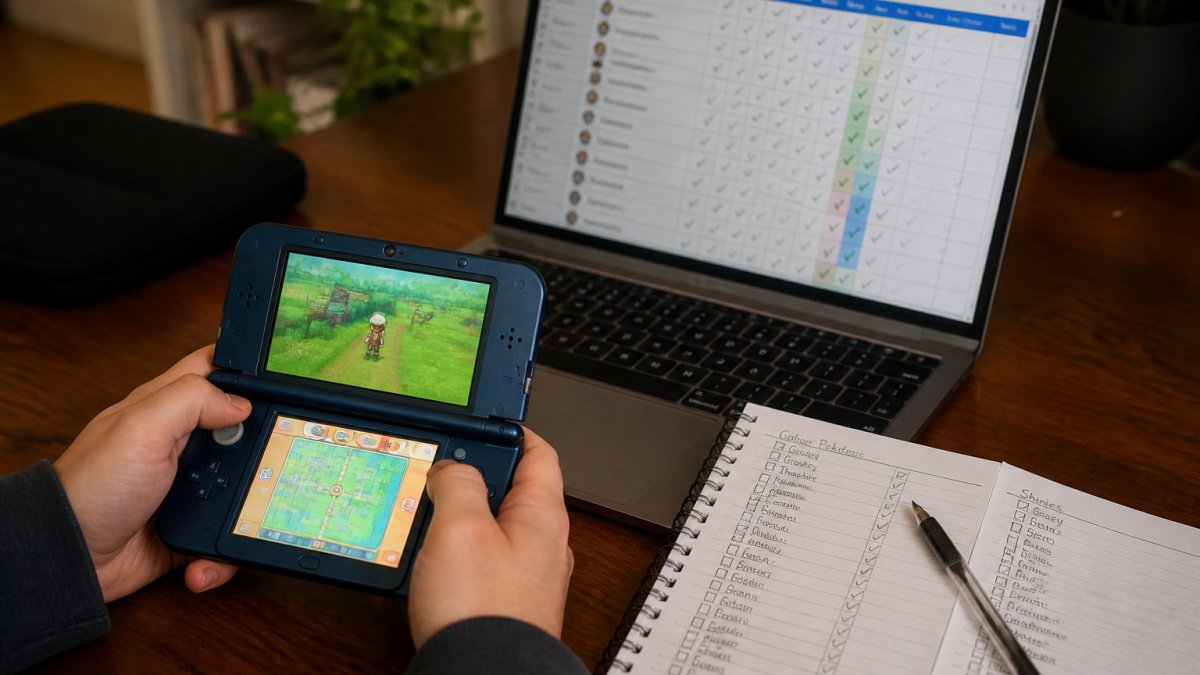
A tracker is only as good as the workflow behind it. Most guides stop at "make a spreadsheet", but the real challenge is recording a Pokémon's full story: where it came from, where it is now, whether it counts toward a Pokédex, and how it got there. This section gives you a repeatable end-to-end workflow you can apply to every Pokémon, plus practical advice on choosing between a spreadsheet, an app, and official storage tools.
The four states every Pokémon should have recorded
For each Pokémon you track, record four distinct pieces of information. These are the states that get confused and cause tracking errors:
- Origin: The game and generation where the Pokémon was obtained (e.g., "Caught in Emerald, Gen 3"). This never changes.
- Current location: Where the Pokémon physically is right now, a specific save file, a box in Pokémon HOME, or a cartridge. Update this every time you move it.
- Pokédex credit: Which games' Pokédexes have this Pokémon registered. A Pokémon can be registered in a Pokédex without being owned in that game (e.g., via trade or seeing it), and it can be owned without being registered in every game it visits.
- Transfer history: A short log of moves (e.g., "Gen 3 → Pal Park → Gen 4 → Poké Transfer → Gen 5 → Bank → HOME"). This is your audit trail if something goes wrong.
A step-by-step workflow you can repeat
Apply this workflow every time you catch, trade, transfer, or deposit a Pokémon:
- Log the catch or acquisition. Add a row with species, origin game, and date. Note if it is shiny, a specific form, or an event.
- Mark Pokédex credit. In your per-game tracker, check off the registered column for that game. If you only saw it, note that separately.
- Record ownership. Confirm the Pokémon is in a save file or storage box and note the exact location.
- Before any transfer, check your compatibility map. Confirm the destination game supports the Pokémon and note any restrictions.
- After the transfer, update current location and append to transfer history. Mark the old location as empty.
- Verify Pokédex registration in the destination game. Some games register on arrival; others require you to view the Pokémon in the Pokédex.
This six-step loop takes under a minute per Pokémon once your structure is set up. It prevents the two most common failures: thinking a Pokémon is in a game when it is actually in storage, and assuming a transfer preserved everything.
Spreadsheet vs. app vs. official storage: what to use for what
No single tool does everything perfectly. Here is how the main options compare for cross-generation tracking:
- Spreadsheet (e.g., Google Sheets, Excel): Maximum control and customization. You can add columns for origin, current location, Pokédex credit, transfer history, shiny status, forms, and notes. Export and backup are straightforward. Downside: manual entry and no automatic game data.
- Dedicated collection apps and websites: Many fan-made trackers offer pre-built lists for each game and checkboxes for forms and shinies. Check whether a given app supports the specific games you play and whether you can export your data.
- Official storage (Pokémon HOME): HOME can serve as a location reference for the Pokémon you have deposited. Use it alongside your spreadsheet or app as your planning and completion tool.
Long-term preservation: protecting your record
A tracker is only useful if it survives. Keep these practices in mind:
- Back up your spreadsheet regularly (cloud copy plus a local export).
- Keep account access secure. Tie your game and storage accounts to credentials you control, so you do not lose access to your records.
- Maintain an independent record. Do not rely solely on a service that could change or shut down. Your spreadsheet is your backup.
!Screenshot of a spreadsheet with columns for species, origin game, current location, Pokédex credit, and transfer history, alongside a Pokémon HOME box view
By treating every Pokémon as a record with four states and a history, you turn a messy collection into a manageable system that works across every generation you play.
Keeping Separate Progress in Multiple Pokémon Save Files
Nuzlockes, randomizer runs, and replays each need their own record. Mixing them into one tracker is the fastest way to lose track of which Pokémon belong to which run. Give each save file its own tab or tracker, and label it clearly with the game version and run type. A "Nuzlocke run" tab, for example, should only contain the team and deaths from that run, while your main collection stays untouched.
Set Up Your Cross-Generation Tracker This Week
Start small. If you want extra saves, shiny counters, or stream overlays, compare free tracking with DexTrack Supporter before you commit.
Once the structure is in place, update it after each play session rather than waiting for a big cleanup. You can install DexTrack on your phone to check and update your collection anytime. Ten minutes of upkeep beats a weekend of reconstruction.
Frequently Asked Questions
How do you keep track of Pokémon across different games?
Start with one master list of every species in the national Pokédex, then record each game separately as its own column or tab. Mark each Pokémon as caught, owned, or transferred for every title you play. Update the list right after each session so progress never falls behind. Keeping game-specific records alongside the master list shows you at a glance which Pokémon you still need in each version and which ones you have already moved across generations.
What is the best way to organize a Pokémon collection?
Group Pokémon by generation first, then by regional Pokédex, because that is how games release and how transfers are usually planned. Within each group, track status fields such as owned, shiny, and form variants so you can filter quickly. A single tracker with filters is easier to maintain than several separate lists. Review the structure once a year or when a new generation launches so your system keeps pace with the franchise.
Can you track Pokédex completion separately for each Pokémon game?
Yes. Each game has its own Pokédex, and completion in one version does not count toward another. Keep a separate completion count for every title, then track a national or living Pokédex on top of those. This lets you see that a game is 80 percent complete while your overall collection is further along. Separate counts also make it clear which version-exclusive Pokémon you still need to trade in from another game.
How do you record which Pokémon are shiny or Alpha?
Add a dedicated shiny column next to each Pokémon entry and mark it only when you have confirmed the shiny version in a specific save. Use a separate Alpha or special-status field so that status does not get mixed with shiny progress. Recording the game, date, and method for each shiny makes it easier to avoid duplicate hunts. Tools such as DexTrack include shiny and Alpha status fields so these records stay separate from regular catches.
How can you keep track of Pokémon in multiple save files?
Give every save file its own tracker, or its own profile, and name it clearly with the game and playthrough purpose, such as main save, Nuzlocke run, or replay. Keep the main save as your record of completion and use the other files for experiments or challenges. Before transferring anything between saves, note the Pokémon and the destination file so you do not lose track of where it went.
What information should you record for each Pokémon?
At minimum, record the species, form, gender if relevant, game version where it was caught, whether it is shiny, and its current location or save file. Add a notes field for event origin, nickname, or transfer history, since those details become hard to recall after several generations. Recording the nature, ability, or level is optional and mainly useful for competitive or Nuzlocke teams. Keep the required fields short so you will actually fill them in every time.
How do you track a Pokémon collection as new games are released?
Add a new column or profile for each release as soon as it is announced, and set its completion goal before you start playing. Check which Pokémon from earlier generations are available in the new game so you know which entries to mark as reachable. A tracker that supports adding new titles without rebuilding the whole list saves time with every release. Revisit your transfer map after each new game to confirm which older Pokémon can still come across.